
Bluetooth® Wireless Technology
One key reason for the incredible success of Bluetooth® technology is the tremendous flexibility it provides developers. Offering two radio options, Bluetooth technology provides developers with a versatile set of full-stack, fit-for-purpose solutions to meet the ever-expanding needs for wireless connectivity.
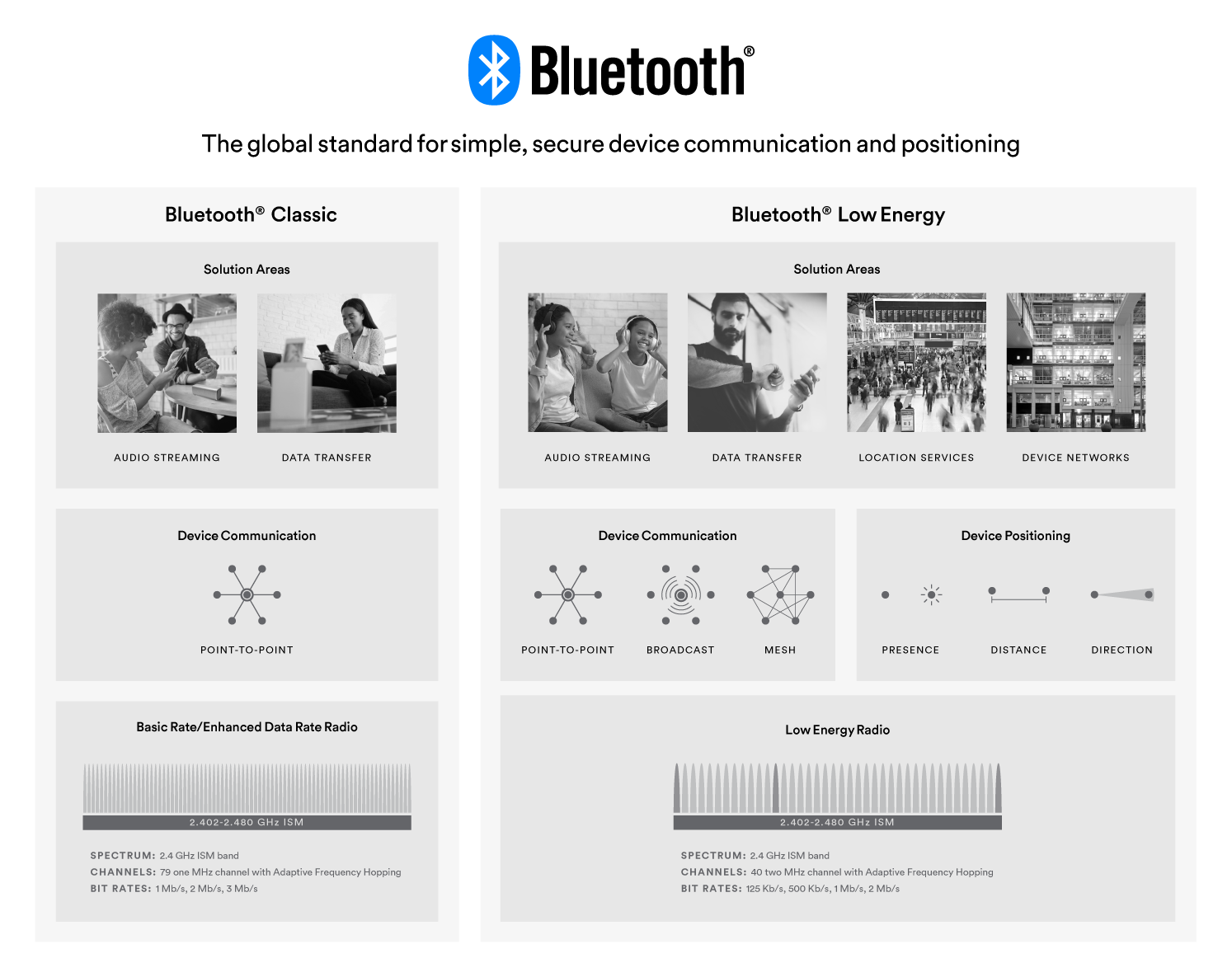
Whether a product streams high-quality audio between a smartphone and speaker, transfers data between a tablet and medical device, or sends messages between thousands of nodes in a building automation solution, the Bluetooth Low Energy (LE) and Bluetooth Classic radios are designed to meet the unique needs of developers worldwide.
Bluetooth® Classic
The Bluetooth Classic radio, also referred to as Bluetooth Basic Rate/Enhanced Data Rate (BR/EDR), is a low power radio that streams data over 79 channels in the 2.4GHz unlicensed industrial, scientific, and medical (ISM) frequency band. Supporting point-to-point device communication, Bluetooth Classic is mainly used to enable wireless audio streaming and has become the standard radio protocol behind wireless speakers, headphones, and in-car entertainment systems. The Bluetooth Classic radio also enables data transfer applications, including mobile printing.
Bluetooth® Low Energy (LE)
The Bluetooth Low Energy (LE) radio is designed for very low power operation. Transmitting data over 40 channels in the 2.4GHz unlicensed ISM frequency band, the Bluetooth LE radio provides developers a tremendous amount of flexibility to build products that meet the unique connectivity requirements of their market. Bluetooth LE supports multiple communication topologies, expanding from point-to-point to broadcast and, most recently, mesh, enabling Bluetooth technology to support the creation of reliable, large-scale device networks. While initially known for its device communications capabilities, Bluetooth LE is now also widely used as a device positioning technology to address the increasing demand for high accuracy indoor location services. Bluetooth LE now includes features that enable one device to determine the presence, distance, and direction of another device.
| Bluetooth Low Energy (LE) | Bluetooth Classic | |
|---|---|---|
| Frequency Band | 2.4GHz ISM Band (2.402 – 2.480 GHz Utilized) | 2.4GHz ISM Band (2.402 – 2.480 GHz Utilized) |
| Channels | 40 channels with 2 MHz spacing (3 advertising channels/37 data channels) |
79 channels with 1 MHz spacing |
| Channel Usage | Frequency-Hopping Spread Spectrum (FHSS) | Frequency-Hopping Spread Spectrum (FHSS) |
| Modulation | GFSK | GFSK, π/4 DQPSK, 8DPSK |
| Data Rate | LE 2M PHY: 2 Mb/s LE 1M PHY: 1 Mb/s LE Coded PHY (S=2): 500 Kb/s LE Coded PHY (S=8): 125 Kb/s |
EDR PHY (8DPSK): 3 Mb/s EDR PHY (π/4 DQPSK): 2 Mb/s BR PHY (GFSK): 1 Mb/s |
| Tx Power* | ≤ 100 mW (+20 dBm) | ≤ 100 mW (+20 dBm) |
| Rx Sensitivity |
LE 2M PHY: ≤-70 dBm |
≤-70 dBm |
| Data Transports |
Asynchronous Connection-oriented |
Asynchronous Connection-oriented Synchronous Connection-oriented |
| Communication Topologies | Point-to-Point (including piconet) Broadcast Mesh |
Point-to-Point (including piconet) |
| Positioning Features | Presence: Advertising Direction: Direction Finding (AoA/AoD) Distance: RSSI, HADM (Coming) |
None |
* Devices shall not exceed the maximum allowed transmit power levels set by the regulatory bodies that have jurisdiction over the locales in which the device is to be sold or intended to operate. Implementers should be aware that the maximum transmit power level permitted under a given set of regulations might not be the same for all modulation modes.

FEATURED REPORT
Bluetooth® Market Update
Get exclusive access to the most important trends and forecasts for Bluetooth® technology.
Related Resources
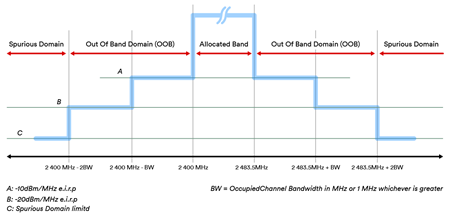
Bluetooth Low Energy – Regulatory Aspects Document (RAD)
This informational document is a supplemental resource for technology professionals working to bring Bluetooth Low Energy (LE) products to market.
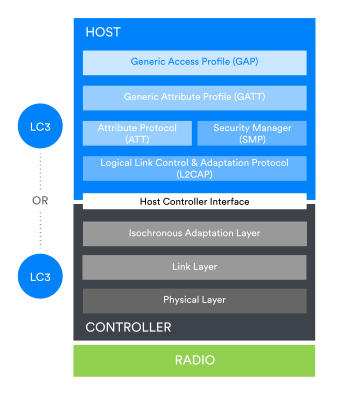
The Bluetooth® Low Energy Primer
Are you new to Bluetooth Low Energy? Learn about its constituent parts, features, and how it works.


